IntelliWarp Migrate QlikView to Qlik Cloud

From QlikView to Qlik Cloud.

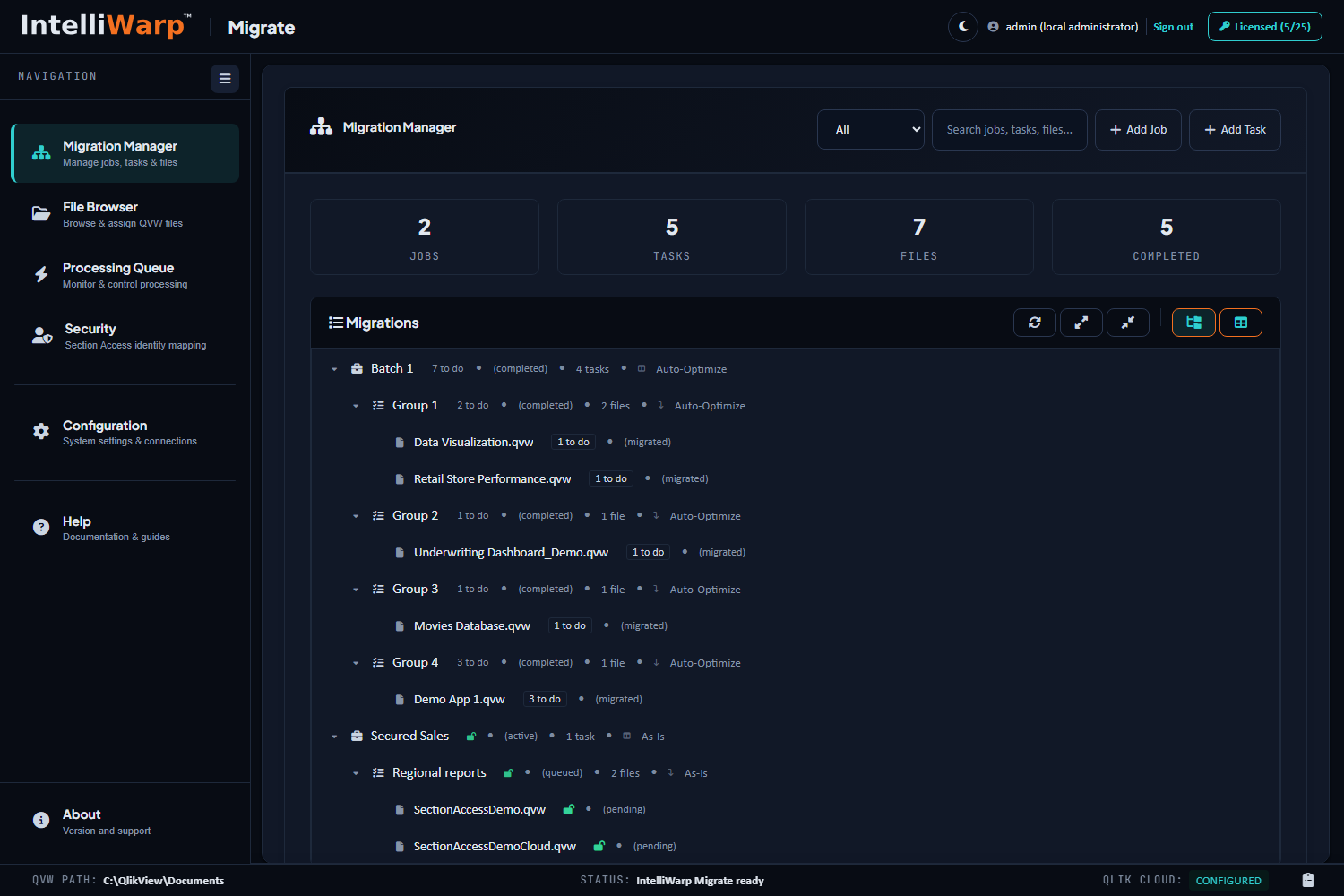
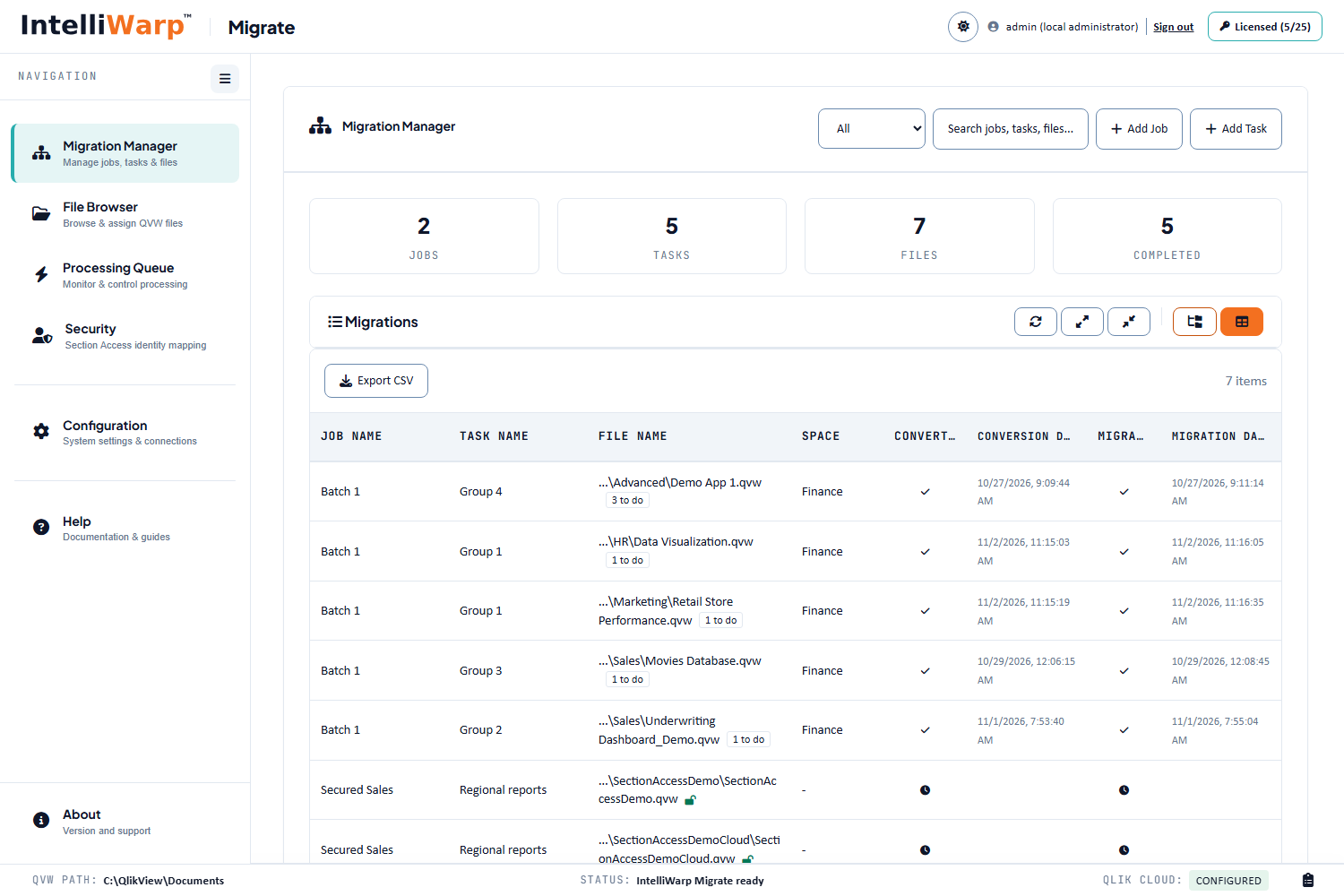
Migrate converts each QlikView document and deploys it to your Qlik Cloud tenant, in two steps you control from a browser: convert on your server, then deploy to the cloud. Jobs, tasks and files, with the state of every document in view.

Two steps

Convert on your server. Deploy to your tenant.

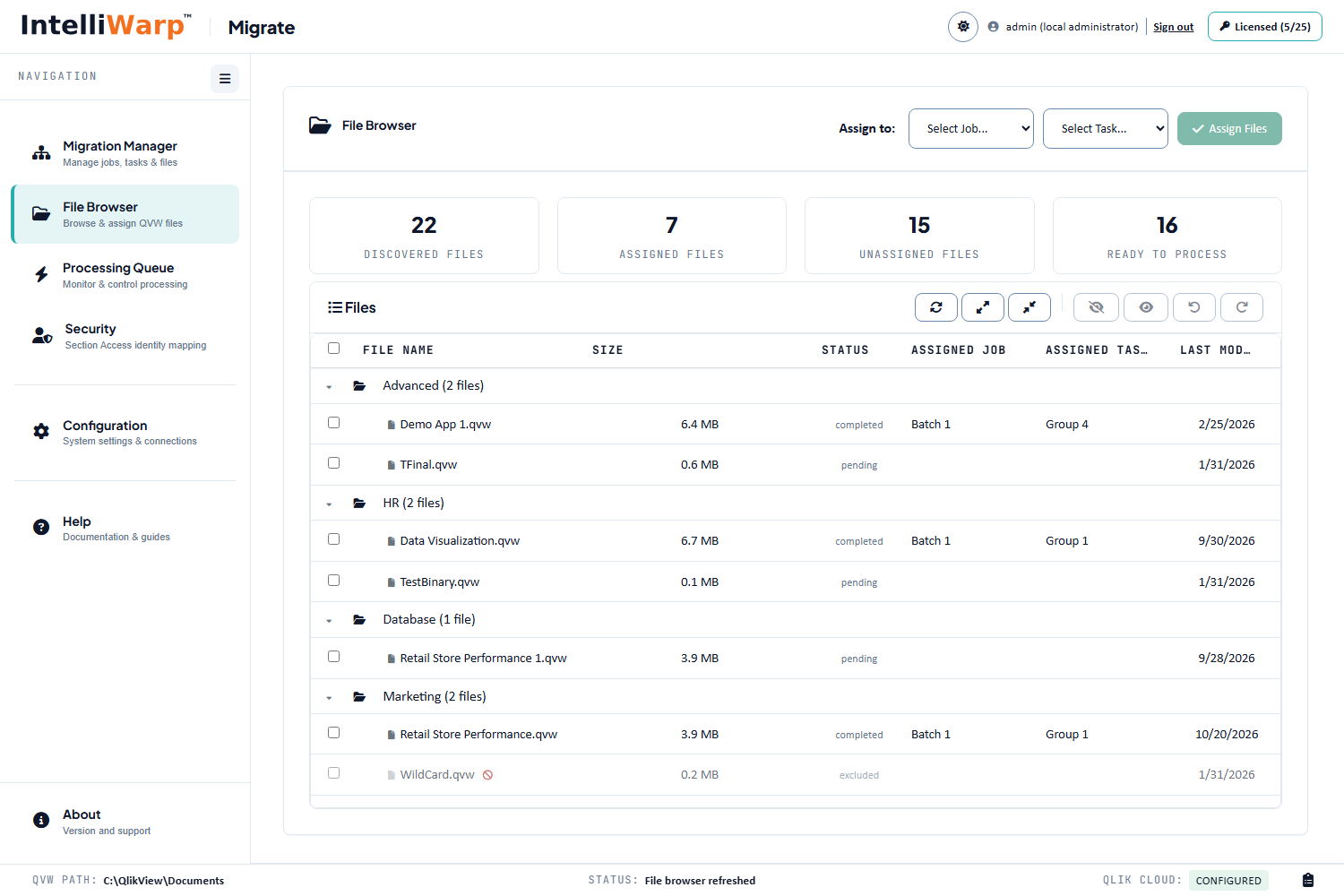
Documents are grouped into jobs and tasks and queued on the server, so a migration of hundreds of documents runs unattended, survives a closed browser, and can be retried file by file.

IntelliWarp Migrate: the Migration Manager

Step 1: Convert

Migrate exports each document's project files through QlikView Desktop, converts every object with an adapter for its type into its Qlik Sense counterpart, lays the sheets out for the Qlik Sense grid, reads the load script and its data sources, records Section Access and builds the master item catalog. Everything is written beside the document, readable before anything reaches the cloud.
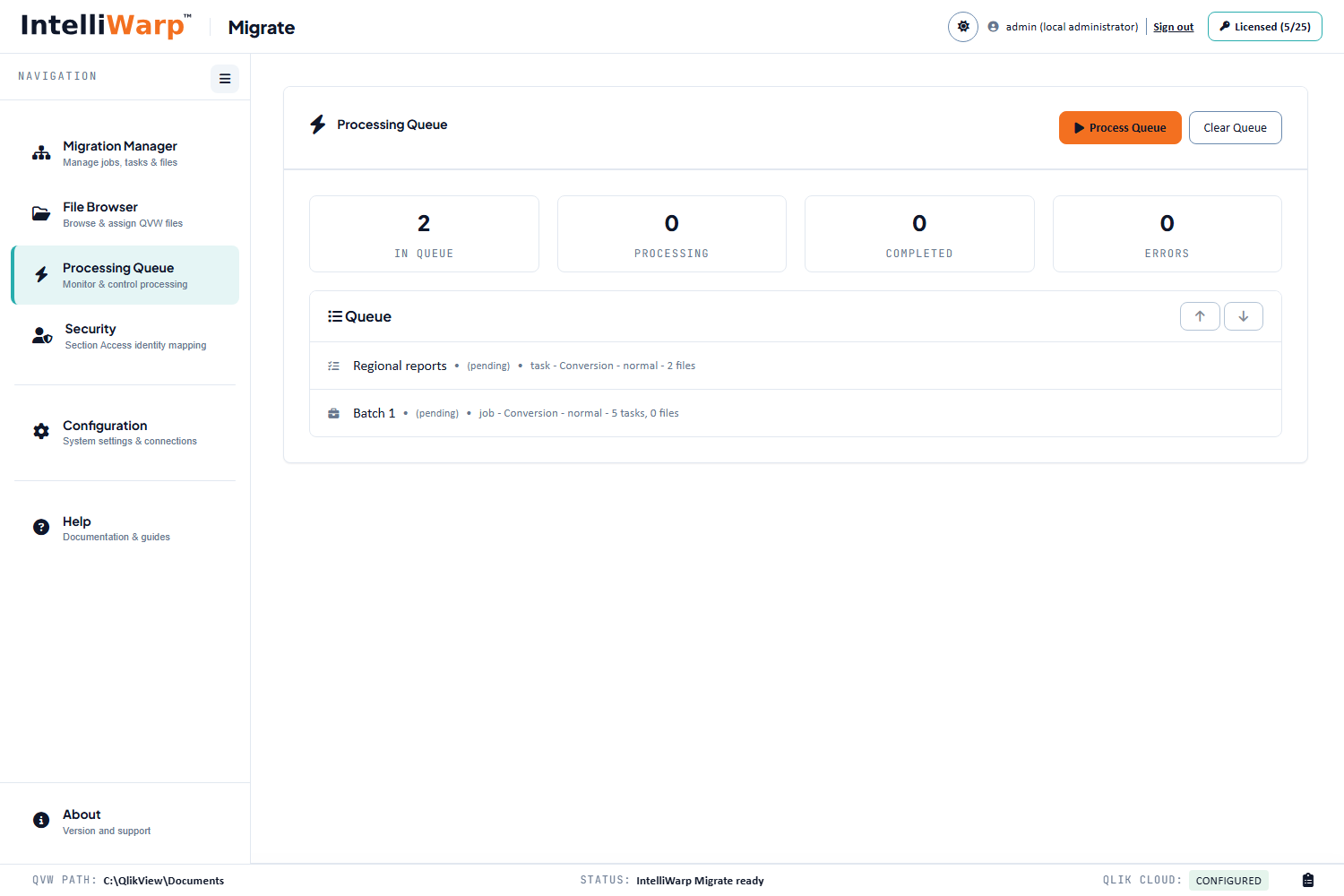
IntelliWarp Migrate: the Processing Queue

Step 2: Deploy

Spaces and apps are created, variables, theme and master items deployed, sheets and objects built, data files uploaded and the script rewritten to cloud connections, the app reloaded, then sheets and app handed to their owner, in the order Qlik Cloud's permissions require. A per-object report and a checklist of what still needs a person close the file.

Before and after

A dashboard, before and after.

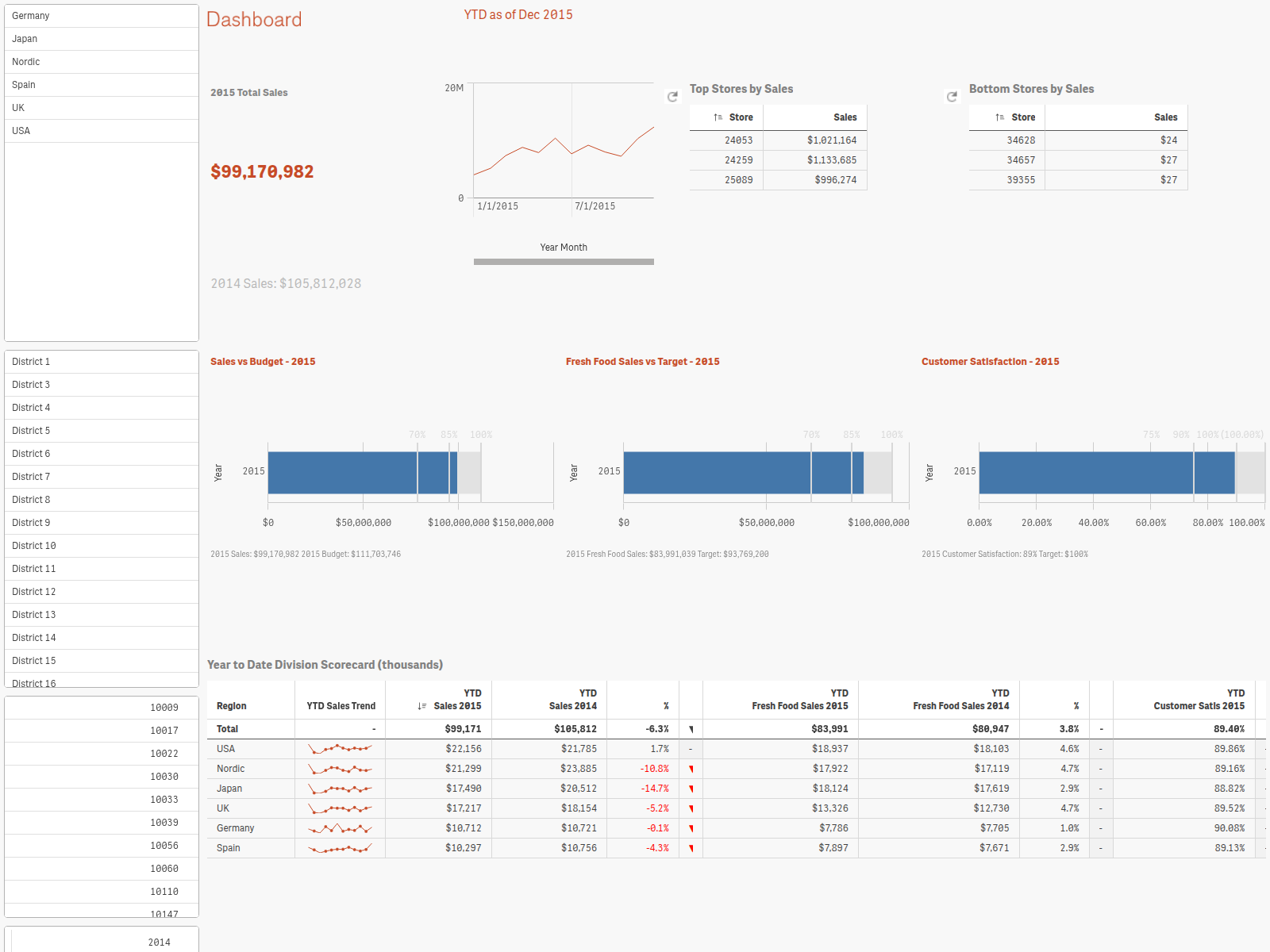
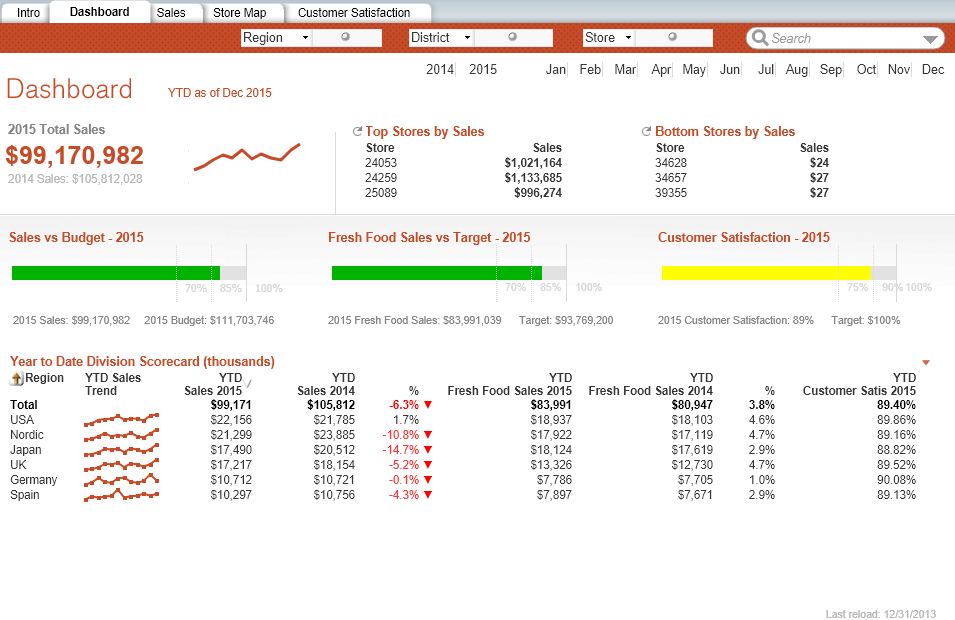
The Retail Store Performance demo: list boxes became filter panes in a rail, the KPI, sparkline and the top and bottom tables kept their places, the three gauges became bullet charts, the scorecard a table with its sparklines and arrows.

QlikView · Retail Store Performance, Dashboard
The Dashboard sheet of Retail Store Performance in QlikView Desktop
Qlik Cloud · migrated by IntelliWarp, Optimized layout
The same Dashboard sheet in Qlik Cloud after migration
What it converts

Objects, scripts, data, security.

  • Bar, line, combo, pie, scatter, radar, gauge, funnel, Mekko, block and grid charts, with their expressions, sorting, number formats, colors, reference lines and legends
  • Straight tables, pivot tables and table boxes with their column widths, sort priority and cell colors
  • List boxes, multi boxes and field sliders as filter panes; variable sliders as Qlik Sense sliders; calendars as date pickers; input boxes as variable inputs
  • Containers (tabbed and grid), text objects, images, buttons with their actions, alternate states
  • Cyclic and drill-down groups as master dimensions; every measure your designers labeled as a master measure, named for Qlik Answers
  • Variables, the document's colors as a Qlik Sense theme, sheet backgrounds when you want them
  • The load script: folder connections, wildcards, include files and network shares resolved on your server; data files uploaded to the app's space or a storage target of your choice (S3, Azure Blob, Google Cloud Storage, OneDrive, SharePoint, Google Drive); paths rewritten to lib:// connections; database connections listed for you to create
  • Binary loads through a temporary app when the data cannot be rebuilt from files
  • Section Access: the table converted with an identity mapping you approve, checked against your tenant, validated after the reload, moved into its space only when it passes, and audited per document

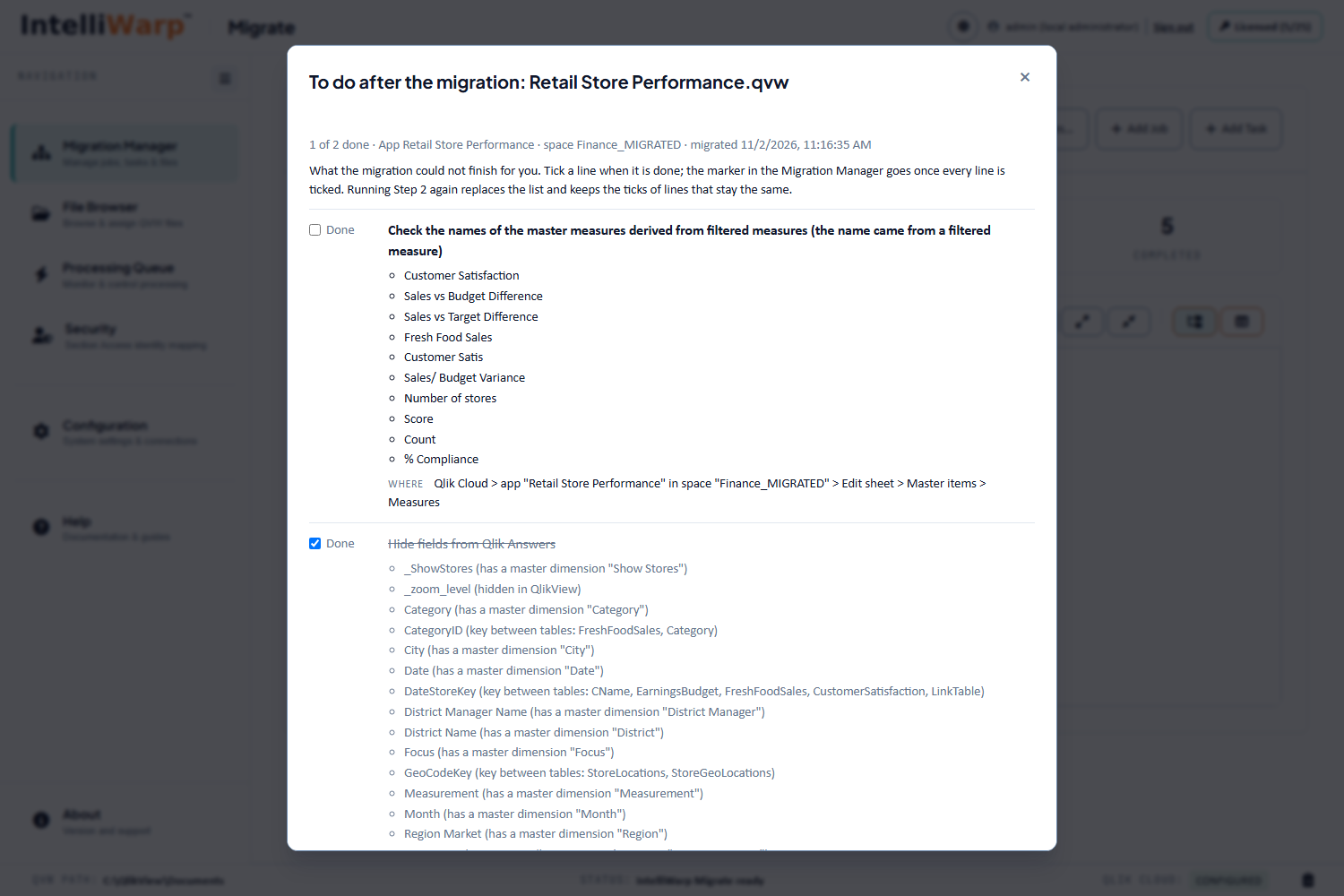
Not everything in QlikView has a counterpart in Qlik Cloud. What has none is reported, never silently dropped: every object reads full, partial or skipped in the report with the reason, and a checklist per document lists the hand work left (connections to create, fields to hide from Qlik Answers, master items to name).

Layout

Three ways to lay out a sheet.

As-Is

The QlikView arrangement projected onto the Qlik Sense grid, with texts and filter strips given the rows they need to be read.

Optimized

Each object sized for what it shows (a strip for a one-bar chart, rows for a table, a readable minimum for every chart), filters in one place on every sheet, captions kept with their charts.

Custom Sheet Design

A Sheet Designer in the browser with a template gallery and a recommendation per sheet, for the sheets you want to shape by hand before they are deployed.

Qlik Answers

Apps seeded for the questions people will ask.

Master items with the designers' names

Every field used as a dimension and every labeled measure becomes a master item, named by the label designers used most, with the other labels as synonyms.

Technical fields hidden

Keys, unused fields and fields with a master dimension are hidden from Qlik Answers, so it answers through the master items.

A curation file per document

A CSV beside the document lets you rename or describe master items before the migration, and a report lists what to check afterwards.

On screen

What you work with.

What it needs

Your QlikView server, your tenant.

A Windows machine with QlikView Desktop 12
Migrate runs on the QlikView server or a machine beside it, under a dedicated account for which QlikView Desktop is licensed. The .NET Framework 4.8 is required and already part of Windows 10, 11 and Server 2019 and later.
A Qlik Cloud tenant and an API key
An API key of a tenant administrator, created in the tenant and revocable there. Migrate talks to the tenant over HTTPS and the Engine API over WebSocket, through your outbound proxy if there is one.
A browser
Migrate is operated from a browser on the server, or from the managers' PCs over HTTPS when you open it to the network with a sign-in provider.
A license
A license is bought once per migration, for the documents on the quote, and never expires. A trial covers 3 documents for 14 days. Activation works online or, for an air-gapped server, with a code.

Get IntelliWarp Migrate.

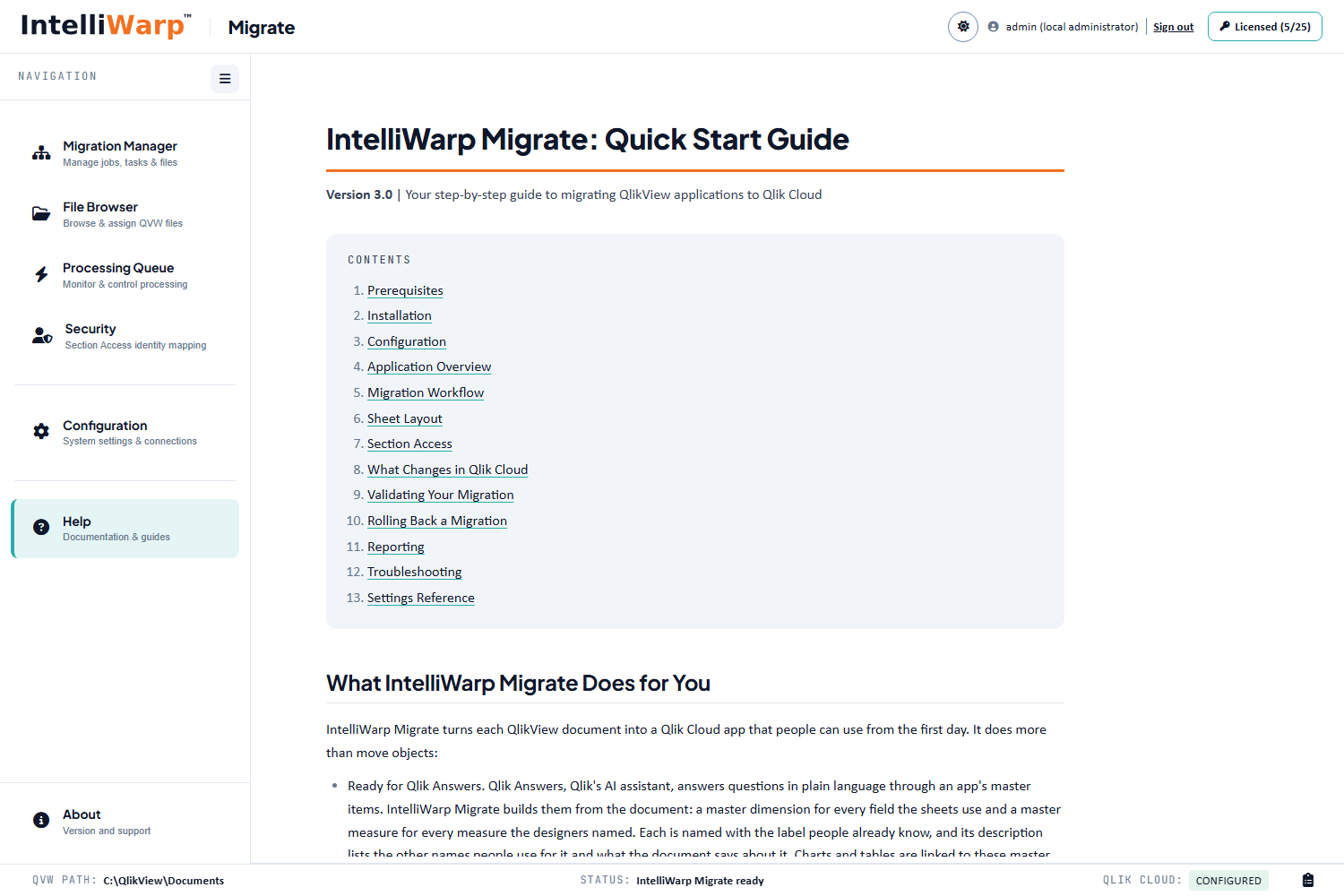
Signed installer and zip, checksums on the page, the Quick Start Guide and the Server Deployment Guide inside.